

Appearance
Connecting Workato to dx0
Connect a read-only Workato API client to dx0, index it, and you can ask the agent questions like "Which recipes write to Opportunity StageName, and what values do they set?" Use this when a client's Salesforce behavior is partly driven by Workato and you need to see both sides before changing anything.
What you need before you start
- Workspace admin access in dx0. Connecting, checking and replacing Workato credentials is limited to workspace admins. Indexing can be opened to all members in your workspace settings.
- Admin access to the client's Workato workspace, so you can create an API client.
- The Workato data center the client uses. Check the URL they sign in to:
app.eu.workato.comis Europe,www.workato.comis United States,app.trial.workato.comis a Free, Pro or Developer Sandbox account, and so on.
Create a read-only API client in Workato
In Workato, go to Workspace admin → API clients and create a new client role and API client for dx0.
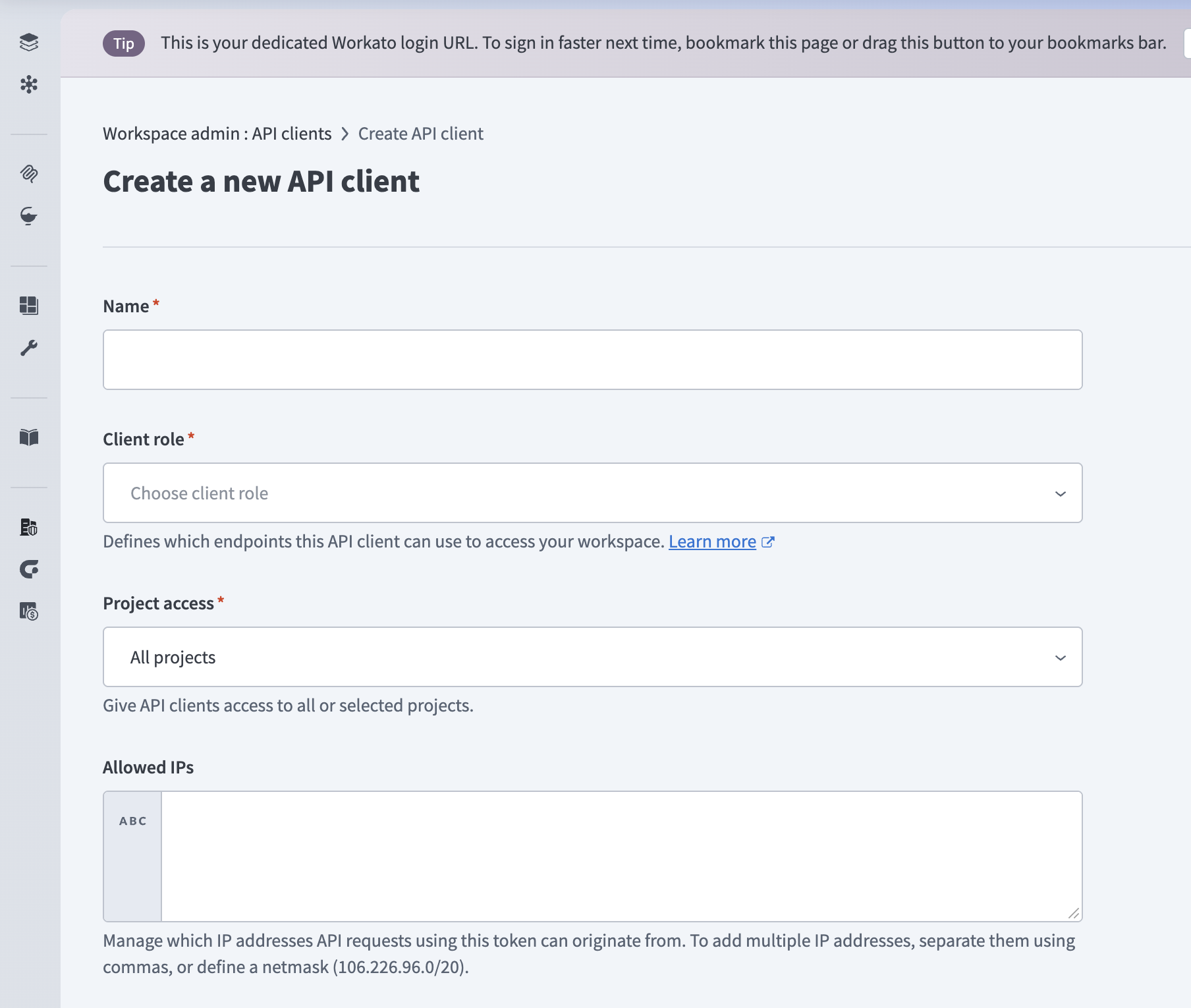
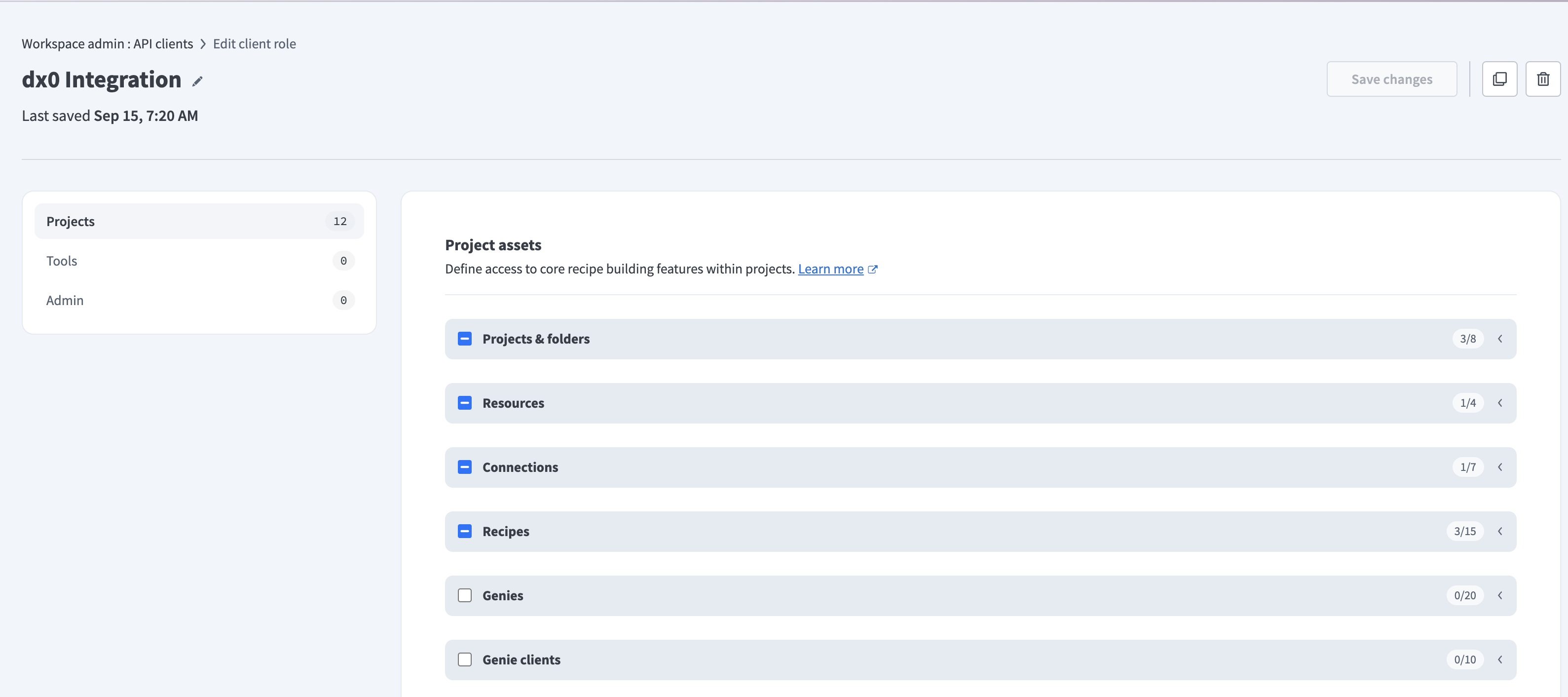
Grant the role only these privileges:
- List projects
- List folders
- List recipes
- Get recipe details
- List connections
Then set the client's project scopes to include every project you want dx0 to analyze. dx0 can only see what the token can see. A recipe in a project outside the scope will not appear in answers, and Quick Chat has no way of knowing it exists.
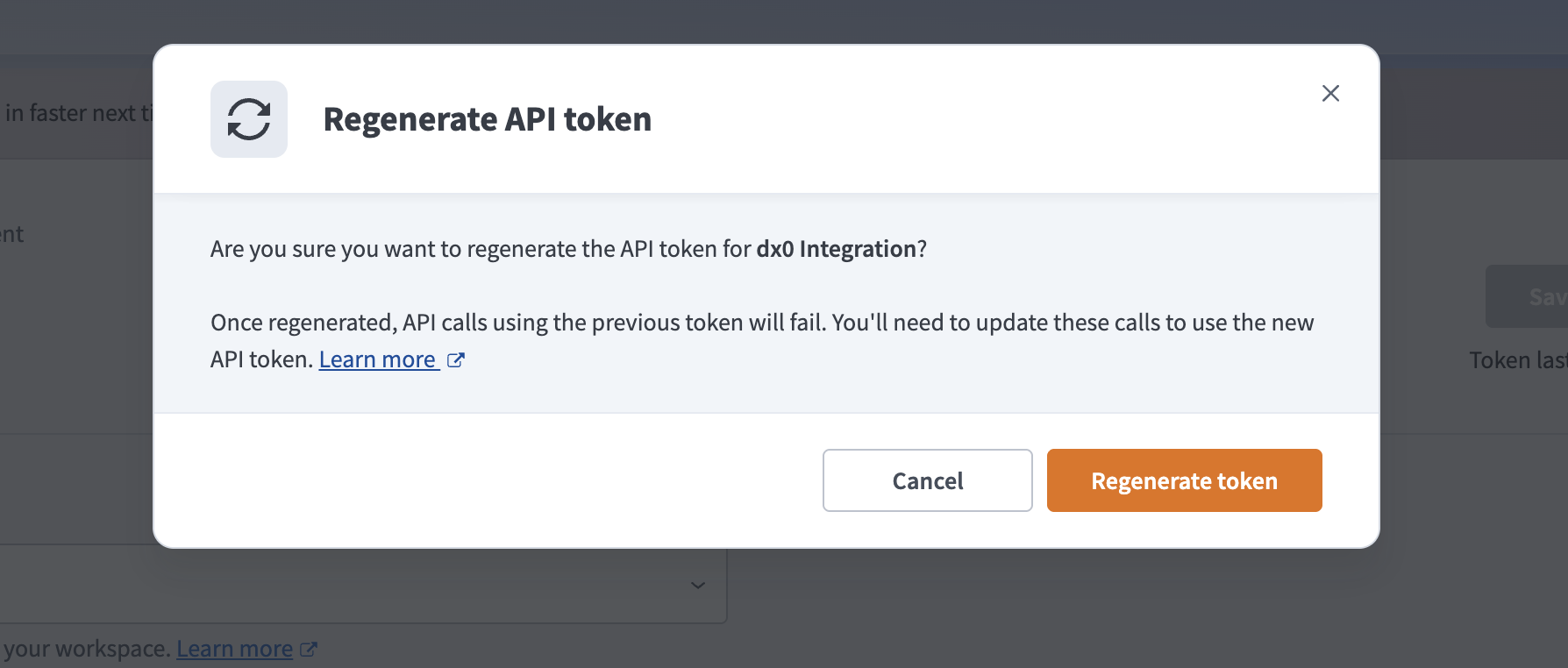
Copy the token when Workato shows it. Workato displays it only once.
Keep the role minimal
dx0 never asks for write privileges, and it deliberately skips resources that can contain secrets (properties, API Platform collections and endpoints, API clients, access profiles and roles), even if the token can read them. A narrow role is also easier to get approved by a client's security team.
Connect Workato in dx0
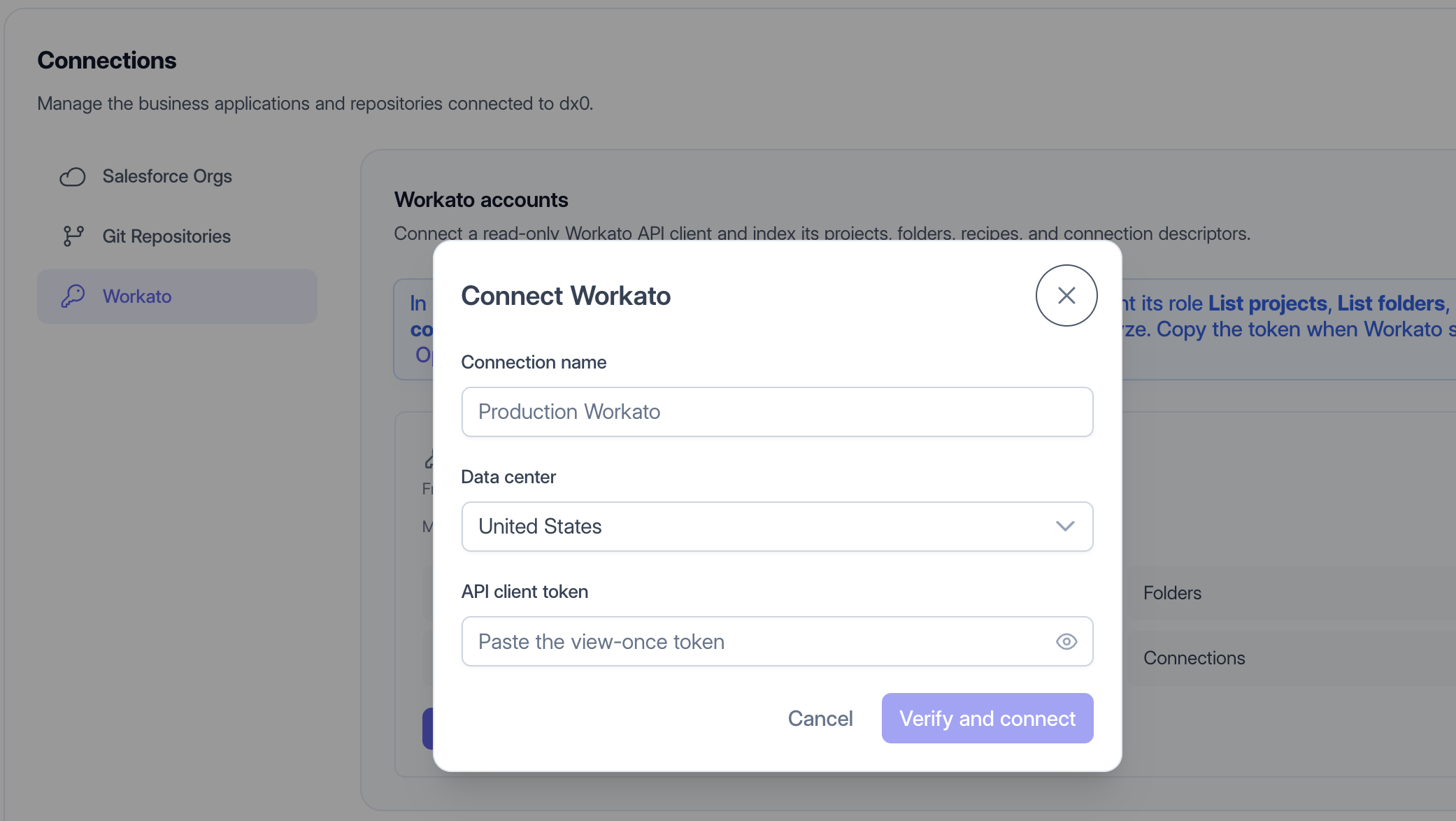
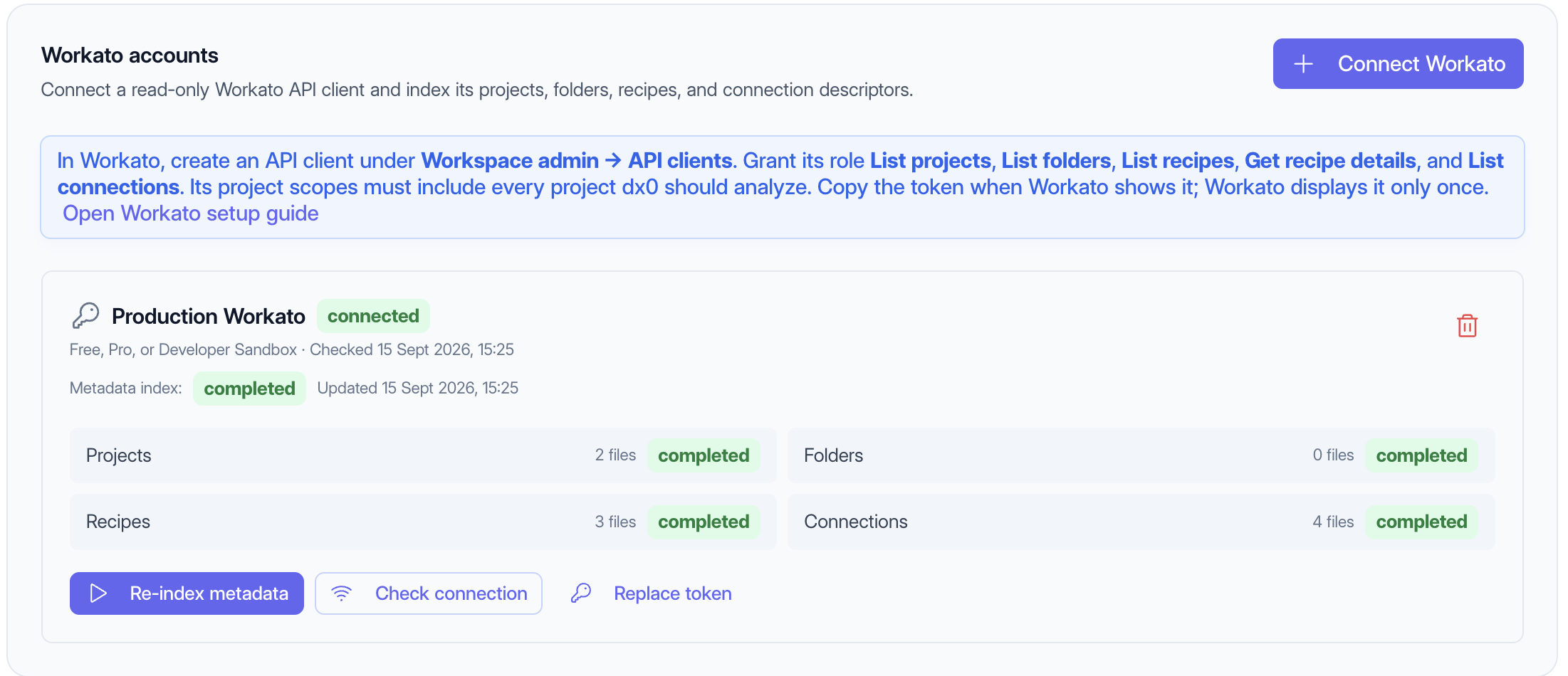
Go to Configuration → Connections → Workato and click Connect Workato. Give the connection a name your team will recognize (for example "Acme – Production Workato"), pick the data center, and paste the token.
Before saving, dx0 checks that the token is valid and can list recipes. If the check fails, nothing is stored. The token is encrypted at rest and is never shown again in dx0.
If the connection is rejected:
- "Workato rejected the API token" means the token is wrong, revoked, or from a different data center. Check the data center first. A mismatch here is the most common cause.
- "The Workato API client cannot list recipes" means the role is missing List recipes, or the project scopes are empty.
Index the connection
Connecting does not pull any data yet. Click Index metadata to take a snapshot of the workspace. dx0 downloads four things:
- Projects and Folders: how recipes are organized.
- Recipes: each recipe's trigger, conditions, steps, field mappings and configured values.
- Connections: which applications the recipes connect to. dx0 records the connections themselves, not their credentials.
Indexing runs in the background, and each of the four shows its own progress. You can leave the page and come back.
How long it takes: dx0 respects Workato's API rate limits and fetches recipe details one at a time, so plan for about one second per recipe. A workspace with 500 recipes takes roughly 8–10 minutes.
If the index is "partially completed": one of the four resources failed, usually because the role is missing that resource's privilege. The rest is still usable in Quick Chat, and the failed resource keeps its previous snapshot if one exists. Fix the privilege in Workato and re-index.
Start asking questions
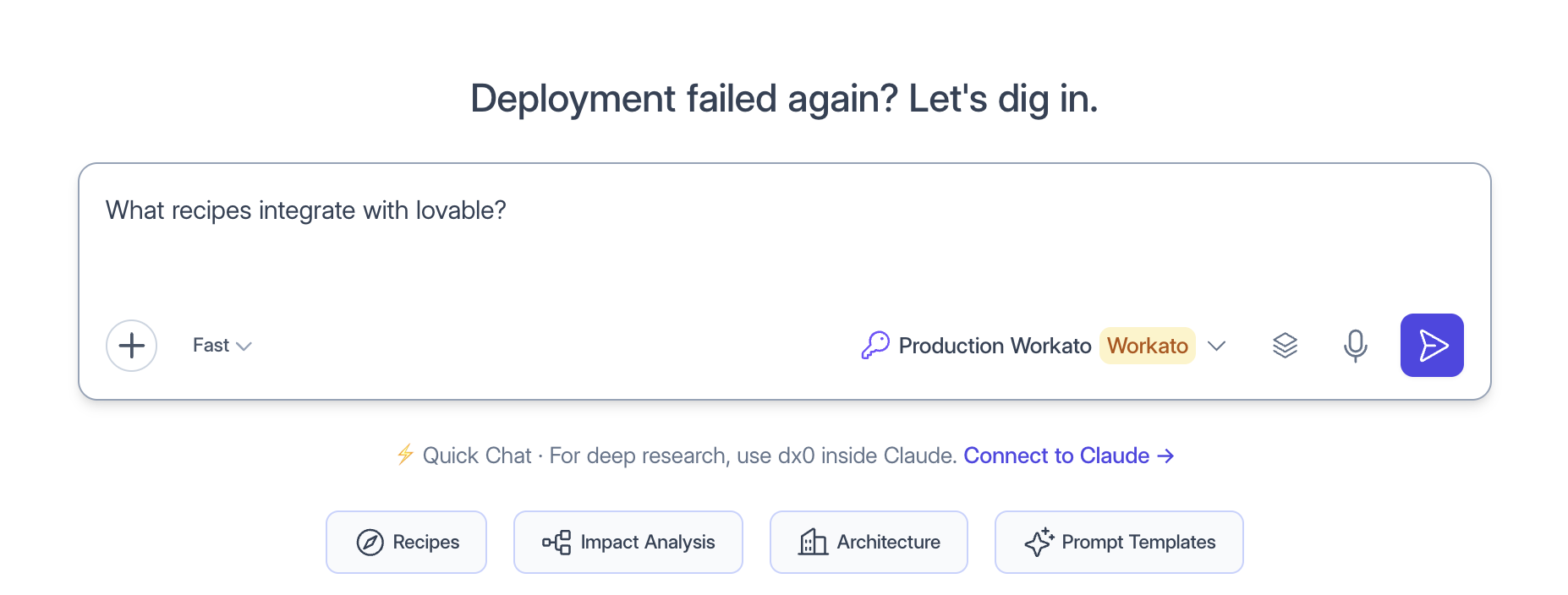
Once Workato is connected, you can ask questions about it from the dx0 Quick Chat or from Claude.
Keep the connection healthy
- Re-index after meaningful recipe changes. Workato indexing is manual, so the snapshot only changes when someone re-indexes.
- Check connection confirms the token still works. If Workato rejects the token during an index, dx0 marks the connection as disconnected.
- Replace token when the client rotates or regenerates the API client. dx0 checks the new token before replacing the old one, so a bad paste never breaks a working connection.
- Disconnecting deletes dx0's stored token and indexed snapshot. It does not revoke the API client in Workato. Delete or regenerate it there if the engagement is over.